Table of Contents
Import Objectives Window
The purpose of this tool is to import some objectives of a theater in F4AWACS as Areas.
When you select this tool, the theater selection will appear:
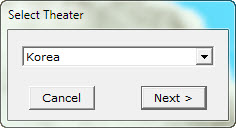
This lists only the theater currently installed in your Falcon BMS setup. No option to manually add a theater is possible at the moment.
Then a dialog will appear, allowing you to select a tac/cam/trn file. Although all of the tac and trn files are based on te_new.tac, selecting a specific tac/trn file can end up in deffierent results, especially regarding the Teams and objective occupation. The Import Objective Window will appear shortly.
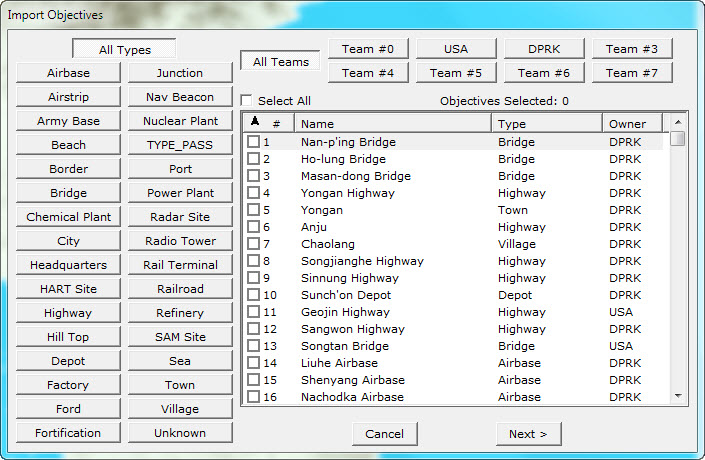
Here you can filter the objectives by Type and Team. You must select an objective by clicking on it's check box. The total number of selected objectives is displayed as well. Changing the filter option (either Type or Team) won't unselect an objective. You must have at least one objective selected to proceed to the next step.
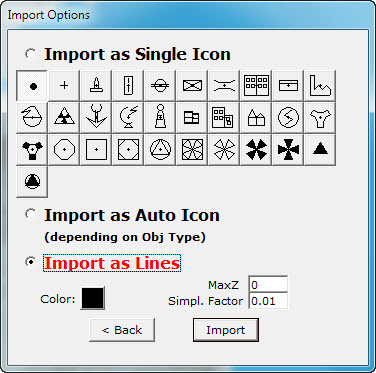
In the import options you can select how the objectives you selected will be imported in F4AWACS. You have three options.
Import As Single Icon
Here you can select an icon and all the objectives will be displayed as this icon. You can change the color of this icon by selecting the color button at the bottom of the window.
Import As Auto Icon
Same as above but the icon will vary depending on the objective type.
Import As Lines
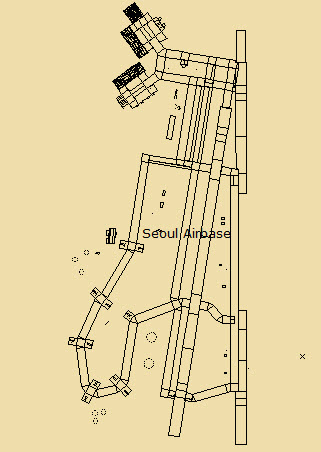
Here you can select the option to display the objective, more or less as it is displayed in Falcon. F4AWACS will try to convert LODs to lines and load them. The color of the lines is specified by the color button at the bottom of the window. Two other important parameters are the MaxZ and Simplicity Factor.
Since a LOD can be broken apart to thousands of lines, I needed a way to simplify it, without losing much of accuracy. The MaxZ parameter specifies that only vectors (points) with a Z value (height from the ground) lower than the one specified, will be taken into account. Most of the time, you'll leave this to 0, but if you don't get the result you want, try to increase it to 1 or higher.
The second parameter, specifies that if start points of two lines are closer than this value (in km) AND the end points of the same lines are closer than this value, one of the line will be discarded. This simplifies the model, and removes unnecessary lines.
It may be a while until you get your result, especially if you have selected a lot of objectives, but the result is worth it.